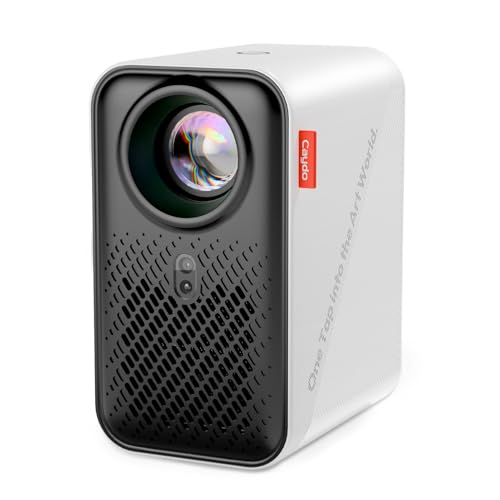
Caydo P1 Art Projector with Drawing App
Usually $161.49
Price at time of publishing · updated 30m ago
The biggest hurdle in transferring digital art to a physical canvas just got a lot smaller.
Verified by Agora · Price and availability shown are accurate as of the date/time indicated and are subject to change. Any price information displayed at the time of purchase on Amazon will apply. As an Amazon Associate, Agora earns from qualifying purchases.
What we've verified about this price
Our read on this product
This isn't your typical projector meant for movie nights. Its real magic is in how it helps you get art from your screen onto a physical surface, like a canvas or a wall, with surprising ease. The built-in drawing app is the key here, offering tools like zoom, rotation, and grid overlays that actually streamline the tracing and sketching process, moving beyond what a simple projector can do. It's designed to be a creative partner, not just a display device.
The auto-focus and keystone correction are genuinely useful, meaning you spend less time fiddling with settings and more time drawing. It handles image transfer smoothly, either through a QR code or a USB drive, which cuts down on the technical hassle. While it can show videos, its core strength is simplifying the transfer of digital art for physical creation, making it a practical tool for anyone serious about their craft.
What makes it stand out
- Features a dedicated drawing app with tools like zoom, rotation, and grid modes, unlike standard projectors.
- Includes auto-focus and keystone correction for quick, accurate image alignment, reducing manual adjustment time.
- Offers simple image transfer via QR code or USB, bypassing the need for complex connections found on many projectors.
When this isn't the right fit
- You primarily need a projector for watching movies or gaming.
- You prefer a projector with extensive pre-loaded content or a vast app store.
- You're looking for a projector that offers extreme brightness for daytime use in well-lit rooms.
Real-world notes
- The auto-focus and keystone correction significantly reduce setup time.
- Image transfer via QR code or USB is a convenient alternative to complex cable setups.
- The specialized drawing app features, like grid overlays and rotation, are genuinely helpful for composition.
It's a confident pick for artists and designers who value a streamlined workflow for transferring digital designs to physical mediums.
How this price compares over time
Not enough tracked price history yet.